Skip to content
New: try the Team features free for 14 days

Building information that holds up to scrutiny

Prove model quality objectively, document the site defensibly, hand verifiable evidence to the client — in the browser, nothing to install.

No credit card required · Free plan free forever


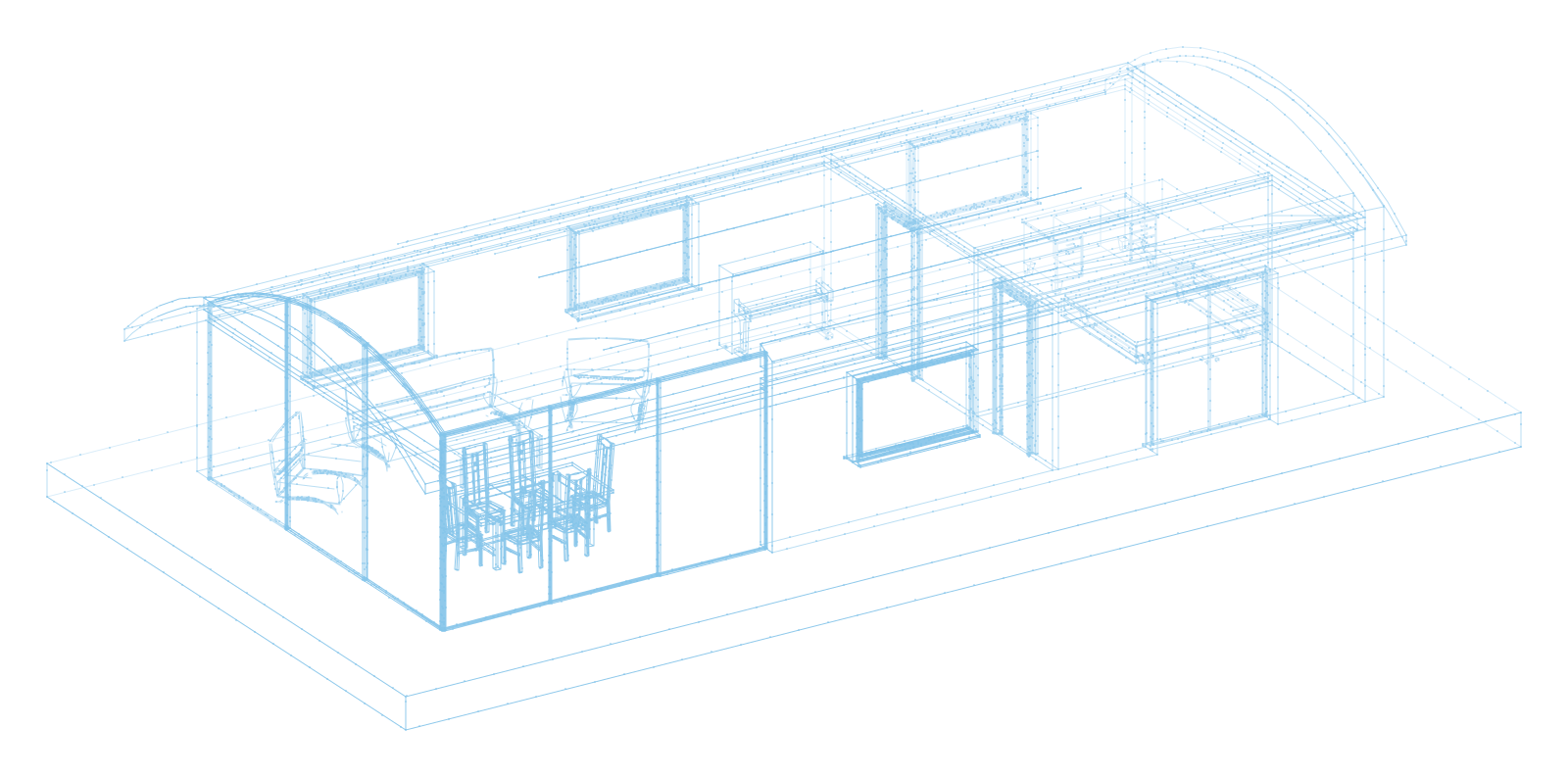
informed.build — 3D viewer with an open IFC model Watch the 90-second demo
IFC 2x3 & 4 BCF 2.1 IDS DIN 276 & Uniclass LAS / LAZ GDPR compliant

Three situations

What you actually use it for

Not a tool list — three workflows as they occur on a real project. Every step is labelled with its actual status, and every situation names what does not work yet.

What these status labels mean

Available Ready for production use. Server-enforced wherever this site says so. In development Built, but stored locally in the browser — no team synchronisation. Planned Not built yet, or not yet verified.
1 Design & coordination BIM coordination in the design team

Five discipline models, one question: do they meet the requirement?

The engineers deliver. The information requirements state which properties must be set. Between the two sits somebody clicking through models one by one — and ending up with an opinion, not evidence.

The workflow

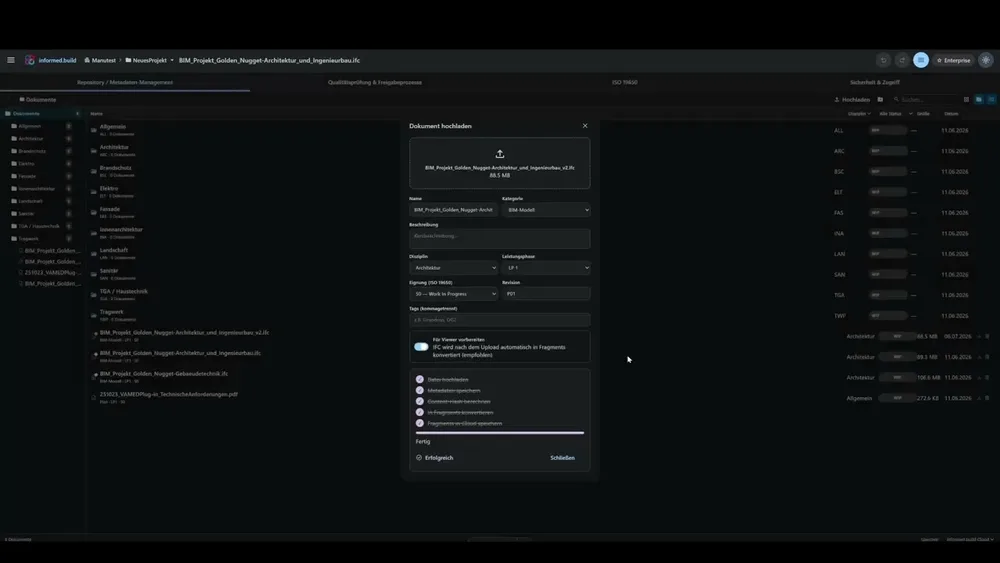
  1. Load the model into project storage. Every revision is kept.

    Documents & CDE Available

  2. Check it against your own rule set or the client's IDS.

    Rules & IDS Available

  3. Read the result per requirement: passed, missing, or wrong value.

    Checking Available

  4. Hand the findings back to the authors as BCF 2.1.

    Issues & BCF Available

  5. The correction comes back as a new version — the old one stays traceable.

    Versioning Available


Automatic classification to DIN 276 Watch demo

What you end up with

A check report with a pass rate per requirement, and a BCF 2.1 file that opens in common BIM tools. Not a “looks fine to me”.

What does not work yet

  • — We can read and evaluate IDS — we cannot author it.
  • — Geometry-based rules need the loaded 3D scene — they do not run purely server-side.
2 Construction Site management and subcontractors

What happened today has to still be provable in two years.

The daily report gets written from memory in the evening, the defect hangs on the wall as a paper note — and the subcontractor who has to fix it has no account in your system.

The workflow

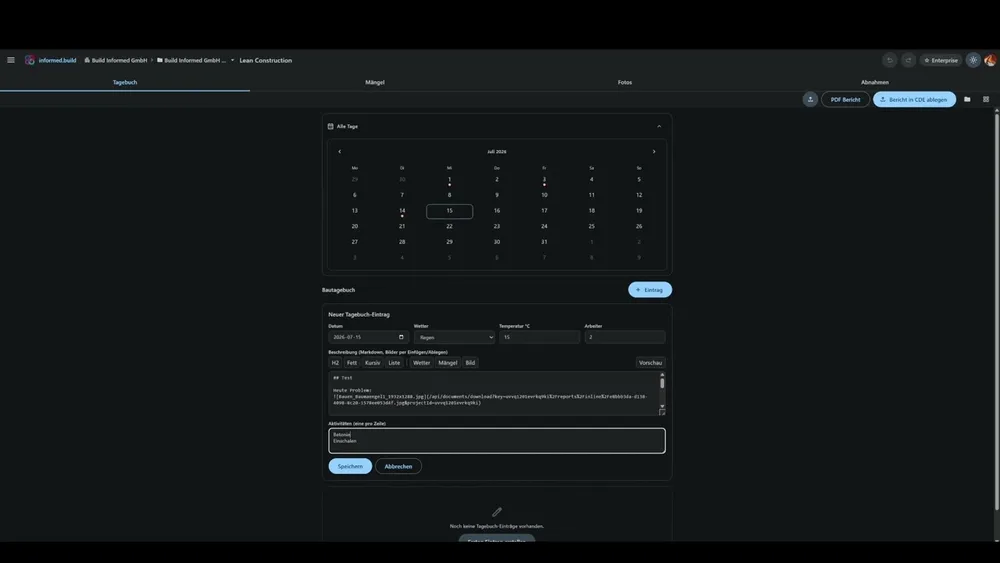
  1. Write the daily report — one entry per day, not two.

    Site diary Available

  2. Request signatures, including from people without a user account.

    Daily report Available

  3. The signature is bound to the document: it carries that document's SHA-256 checksum.

    Signatures Available

  4. Sequential numbering in date order — no gaps, nothing filed retroactively.

    Numbering Available

  5. Defect by QR code on the wall. The subcontractor responds with a photo, and the defect closes itself.

    Defects Available

Site diary, defects and inspections Watch demo

What you end up with

A signed daily site report as a PDF whose signatures are bound to the checksum of that exact document — plus a running log of every signature event with time, IP address and device.

What does not work yet

  • — Scheduling and health & safety are not yet part of this workflow.
  • — Capturing defects on the model does not replace a formal handover inspection.
3 Handover & acceptance Client and project control

You receive models. How do you know they're correct?

The difference between “checked” and “demonstrably checked” is the one you only notice once it is disputed.

The workflow

  1. Your own project role with read and approval rights — no administration rights by default.

    Roles & permissions Available

  2. Read the check reports and BCF findings yourself instead of accepting assurances.

    Checking Available

  3. Version history per document: who, when, which revision.

    Audit trail Available

  4. Approval per version — server-side, bound to the approval right.

    Approvals Available

  5. Signed daily site reports as part of the handover.

    Daily report Available

CDE with versioning and approvals Watch demo

What you end up with

Evidence you can follow yourself — instead of a statement that checking took place.

What does not work yet

  • — The document approval workflow (WIP → Shared → Published) currently runs in the application and is not yet enforced on the server.
  • — The audit trail covers documents and signatures — not changes to roles and permissions.
  • — Exporting the audit trail is restricted to project administrators — the client role described here does not have it without additional rights.

Tools

The everyday toolkit

The foundation under all three workflows — in the browser, nothing to install.

3D IFC viewer

3D IFC viewer

Available


Open and analyse BIM models in the browser: navigate storeys, place section planes, measure distances, areas and angles.

IFC 2x3 & 4 Storey navigation Section planes Measurement
Data table with inline editing

Data & properties

Available

Search, filter and edit all model data in a table — with virtual scrolling even for very large models. Save your changes back to project storage as a new IFC version.

Point cloud rendering

Point clouds

Available


Laser scans in LAS and LAZ straight in the browser — octree-based LOD rendering for large point clouds. As-built comparison against the BIM model in quality management.

File viewer

Available

Open drawings, calculations and documentation directly — with markups and comments, no download and no extra software.

PDF DWG DXF XLSX DOCX 3D-Meshes

Evidence

Evidence, not promises

The platform produces the artefacts below itself. Where you see a number, it comes from a real run — not from a graphic.

Generated from Ifc4_SampleHouse.ifc · 74 elements · IFC4 using node scripts/marketing/gen-evidence.mjs

Model check report

One run of the rule set over a real IFC model: elements checked, hits and deviations per rule.

Rules evaluated
14
Elements in the model
74
Deviations
17
Download file (26 KB)

IDS validation

An IDS file checked against the same model — passed, missing or wrong value per requirement, with a pass rate.

Specifications checked
4
Requirements not met
4
Pass rate
0–60 %
Download file (9,9 KB)

BCF handover

The same findings exported as BCF 2.1 — the file opens in common BIM tools.

Topics
4
File size
4,3 KB
BCF version
2.1
Download file (4,3 KB)

What this evidence does not cover

Part of the rule set checks geometry and is skipped in a pure server run without a loaded scene. Those rules are not included in the numbers above and are listed here.

12 rules check geometry and need the loaded 3D scene · 4 found no applicable elements in this model · 1 needs classification done in the application.

Governance

Who may do what — and who can prove it

Roles, approvals, versioning, audit trail and data storage in detail. Including a list of what we explicitly do not claim.

Go to the governance page
  • Nine project roles from client to subcontractor, enforced on the server
  • Approval per document version, bound to the approval right and logged
  • Signatures bound to the checksum of the signed document
  • Stated openly: what is enforced on the server and what is not

Feature index

Everything, with its actual status

The complete list of modules. The status is the same one shown on our public roadmap — we do not keep a second, friendlier version.

11 available 13 in development 6 planned

Available today

In production use

  • 3D Viewer Available

    IFC & point clouds, sections, storey navigation, measurement tools

  • File Viewer Available

    PDF, DWG, DXF, XLSX, DOCX, images & 3D meshes — with markups & comments

  • Data & Properties Available

    Virtualised table, inline editing, save as a new IFC version

  • Issues & BCF Available

    BCF-based issue management, Kanban, 3D placement

  • Classification Available

    DIN 276, Uniclass, auto-classification with rule sets

  • Rules & IDS Available

    Rule sets, IDS import & validation

  • Checking Available

    Model validation with 3-panel layout, ghost mode & BCF export

  • Quality Management Available

    Point-cloud as-built comparison against the BIM model

  • Documents & CDE Available

    ISO-19650-oriented: suitability codes, versioning, audit trail

  • Settings Available

    Language, theme, viewer configuration, data management

  • Lean Construction Available

    Site diary, defects, inspections, signed daily reports

2

In development

Built — local to the browser, no team synchronisation

  • Project Management In development

    HOAI phases, milestones, tasks, checklists

  • Multi-Model In development

    Merge, split, 3D diff comparison

  • Coordination In development

    Multi-model viewer with point-cloud integration

  • Reporting In development

    Information takeoff, quantities, property pivot, statistics

  • Sustainability In development

    Energy certificate, ESG assessment, life-cycle analysis

  • Cost Planning In development

    DIN 276 cost levels, HOAI phases, VAT calculation

  • Billing In development

    Invoices, change orders, payment status

  • Controlling In development

    Budget vs. actuals, cash flow, forecast

  • Scheduling In development

    Activities, milestones, list views

  • Safety & HSE In development

    H&S plan, hazards, briefings, incidents

  • Handover In development

    Handover packages, warranties, acceptance protocols

  • Asset Management In development

    Asset register, depreciation, life cycle

  • Portfolio In development

    Property management, rental income, occupancy rate

3

Up next

Planned — your vote counts

  • Openings Planned

    Automated opening planning with IFC export

  • 2D Plans (DWG/DIN) Planned

    DWG/DXF plans with DIN-compliant display & export

  • Tendering & GAEB Planned

    Quantity takeoff, bill of quantities, price comparison, GAEB XML

  • Facility Management Planned

    Maintenance, rooms, fault reports, inspection duties

  • Pipelines Planned

    Automated checking & export workflows

  • AI API Planned

    AI agents, playground, API for third parties

Live demo

See informed.build
with your own models

In 30 minutes we show you the platform live — with your own IFC files and LAS or LAZ point clouds if you like. No obligation and no preparation needed.

  • 30 minutes, online, no obligation
  • With your own IFC models and LAS/LAZ point clouds if you like
  • Direct line to the product team — your questions first
  • A concrete recommendation for your use case

Opens your email client with a prepared request — or write directly to vertrieb@buildinformed.com

Pricing

Simple pricing

Start free — including a 14-day Team trial without a credit card. Scale when you are ready.

Free

Work locally, no cloud required

free

  • IFC viewer & local models
  • Model editing & IFC export
  • 1 project
Start free
Popular

Team

For firms & project teams

€129 / month / seat

  • Billed per admin/manager seat
  • Unlimited members (free)
  • Shared projects, CDE & roles
  • IDS rules, checking & all exports
Choose plan

Enterprise

For corporations & public-sector clients

on request

  • Everything in Team
  • SSO & audit logs — on request
  • Dedicated instance / on-prem — on request
  • SLA & custom contracts — on request
Contact sales

All prices excl. VAT · VAT ID / reverse charge is captured at checkout.

Enterprise items marked “on request” are not part of the product today. We agree them contractually before they are promised.

FAQ

Frequently asked questions

Do I need an installation or plugins?

No. informed.build runs entirely in the browser — in Chrome, Edge and Firefox. There is nothing to install, no plugins and no updates to look after.

Which formats are supported?

IFC 2x3 and IFC 4 for BIM models, LAS and LAZ for point clouds, BCF 2.1 for issues, DIN 276 and Uniclass for classification, plus PDF, DWG, DXF, XLSX, DOCX and images in the file viewer. No proprietary formats. We also read E57, but only to a limited degree today — for reliable results please convert point clouds to LAS or LAZ. GAEB import and export are implemented but not yet enabled.

Is informed.build free?

The Free plan is free forever and includes the viewer with data table and classification for one project. On top of that you can try the Team features free for 14 days — no credit card. Storage and seats stay at Free level during the trial.

Where is my data stored?

Local-first: your models are processed in the browser and stored on your device. Documents in project storage sit in the Cloudflare cloud. Access runs through a server-enforced permission system, changes to documents are logged, and shared links can be protected with an expiry date and a password. Our processors — Cloudflare, Clerk and Stripe — are named in the privacy notice.

Is the platform ISO 19650 compliant?

We work ISO-19650-oriented: suitability codes, revision codes, container structure and the PIM/AIM breakdown are implemented. The status transition of an approval is currently managed in the application and not yet enforced on the server — which is why we say oriented rather than compliant. The governance page states exactly what is enforced.

How does a live demo work?

In 30 minutes we show you the platform — with your own IFC models if you like. You ask questions, we show answers. Just fill in the form on this page.

How transparent is your development?

Completely: our roadmap is public, and the status labels on this page are the same ones. You can see at any time which modules are available, which run locally in the browser and what is still outstanding — and your feedback feeds straight into prioritisation.

Ready to see this on your own model?

Load your first IFC model in under a minute — or have us show you the platform in person.